Turn Long Videos Into Viral-Ready Shorts in Minutes.
Clipora watches your content, finds the strongest moments, reframes your video and adds animated captions automatically.
New members save on their first month • Cancel anytime
Workflows Built for Short-Form Creators
See how Clipora turns one video into ready-to-post content.
Upload your video
Drop in your video and let Clipora handle the heavy lifting.
Pick your caption style
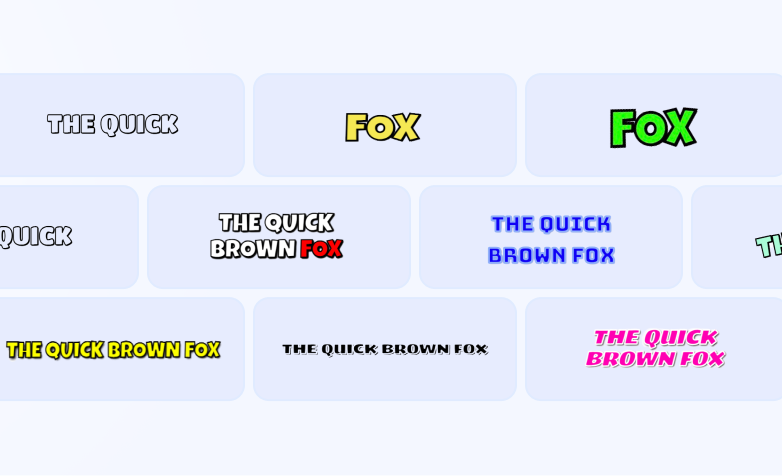
Choose from bold, minimal, colorful and creator-focused caption templates.
Generate your clips
AI finds the strongest moments and turns them into ready-to-edit Shorts.
Everything You Need To Go Short-Form
AI Viral Detection
Find engaging moments automatically across your entire video.
Animated Captions
Create scroll-stopping captions in 16+ professional styles.
Smart Reframing
Keep speakers perfectly framed in vertical format.
One-Click Shorts
Turn hours of content into short videos in minutes.
Viral Score
Rank every clip by AI engagement potential.
Built-In Editor
Fine-tune captions, framing and timing before posting.
Everything You Need to Create Better Shorts
Clip, caption, reframe, edit and export — all inside Clipora.
AI Clipping
Find the strongest moments automatically.
Animated Captions
Turn speech into synchronized, scroll-stopping captions automatically.

Smart Video Layouts
Turn landscape videos into polished vertical clips.
Auto Gameplay
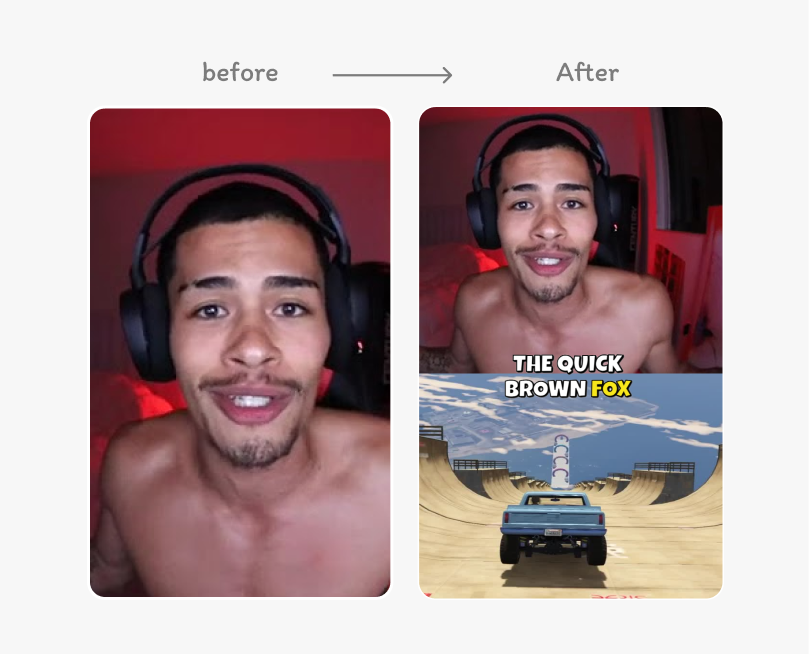
Turn a simple creator clip into an engaging split-screen format automatically. Match the clip duration and keep the main audio in focus.
Built-In Editor
Fine-tune backgrounds, captions, crop, zoom, trim and layouts before export.
Audio Tools
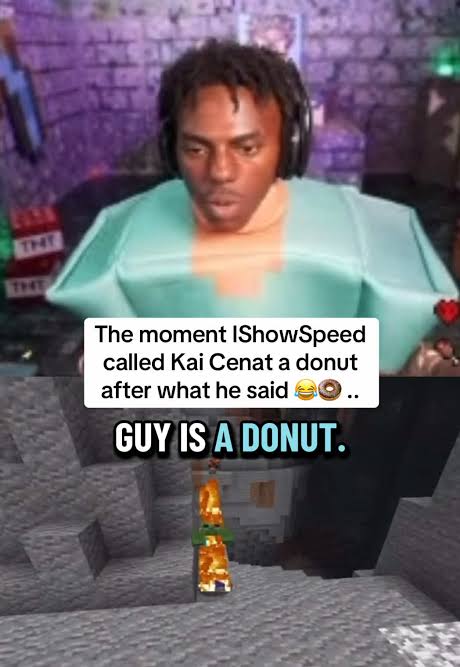
Control volume, clean speech and keep your clips sounding clear.
AI Titles & Hooks
Turn strong moments into scroll-stopping openings.
Ready-to-Post Export
Export vertical videos optimized for Shorts, Reels and TikTok.
Captions That Actually Look Good
From clean and minimal to bold, animated and high-energy — choose the style that fits your content.
Built for Creators Who Move Fast
Spend less time cutting clips and more time creating. Here are common workflows Clipora is designed for.
Turn a 60-minute conversation into multiple short clips without scrubbing through the whole episode.
Auto Gameplay and Split Screen make reaction clips much faster to format.
Find concise explanations and turn them into clean, captioned Shorts.
Pull high-energy moments from long streams and format them vertically.
Turn commentary and talking-head videos into polished clips with consistent captions.
Create multiple versions of one source video while keeping the same brand styling.
Ready to create your first clips?
View PlansSimple, Creator-Friendly Pricing
Starter
Cancel anytime.
600 credits/month
~100 AI clips/month
- AI Auto Clipping
- Automatic Captions
- 1080p Export
- Caption Templates
- Basic Editor
- Viral Score
- Smart Crop
- No Watermark
Creator
Cancel anytime.
1,800 credits/month
~300 AI clips/month
- Everything in Starter
- Premium Caption Styles
- Advanced Editor
- Split Screen
- Streamer Blurred
- Gaming Focus
- Auto Gameplay
- Brand Kit
- AI Titles
- Priority Processing
Pro
Cancel anytime.
4,500 credits/month
~750 AI clips/month
- Everything in Creator
- Highest Upload Limits
- Multiple Brand Kits
- Advanced Layouts
- Priority Queue
- Advanced Analytics
- Higher-quality export options
- Priority Support
Every new customer gets an introductory discount on their first month. Then the regular monthly price. Cancel anytime.